Statistics
 Sergey Tehnoway
How to view account statistics and configure the columns displayed in the table.
Some materials may use a previous version of the interface. The program's core features and workflow remain up to date.
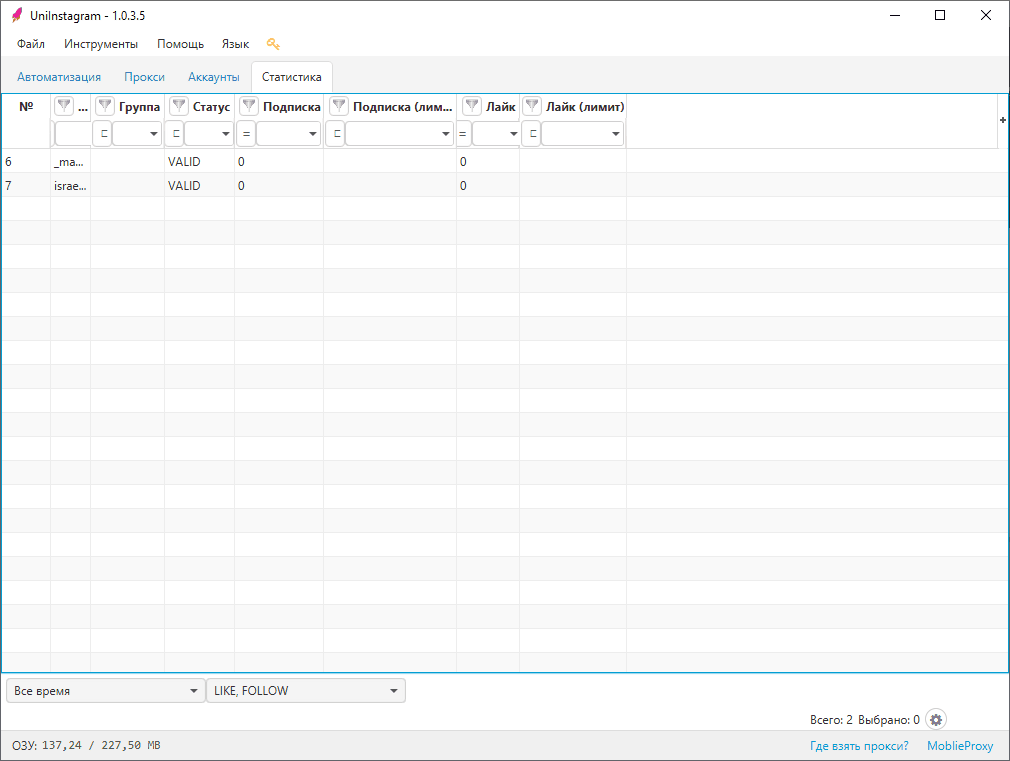
For accounts and all actions, you can view Statistics (see screen 1).
-
To change the list of columns shown, click + (the rightmost column).
-
Each column has a filter.
-
To open the context menu, right-click anywhere in the tab's working area: the "Reset limit" action will appear.
-
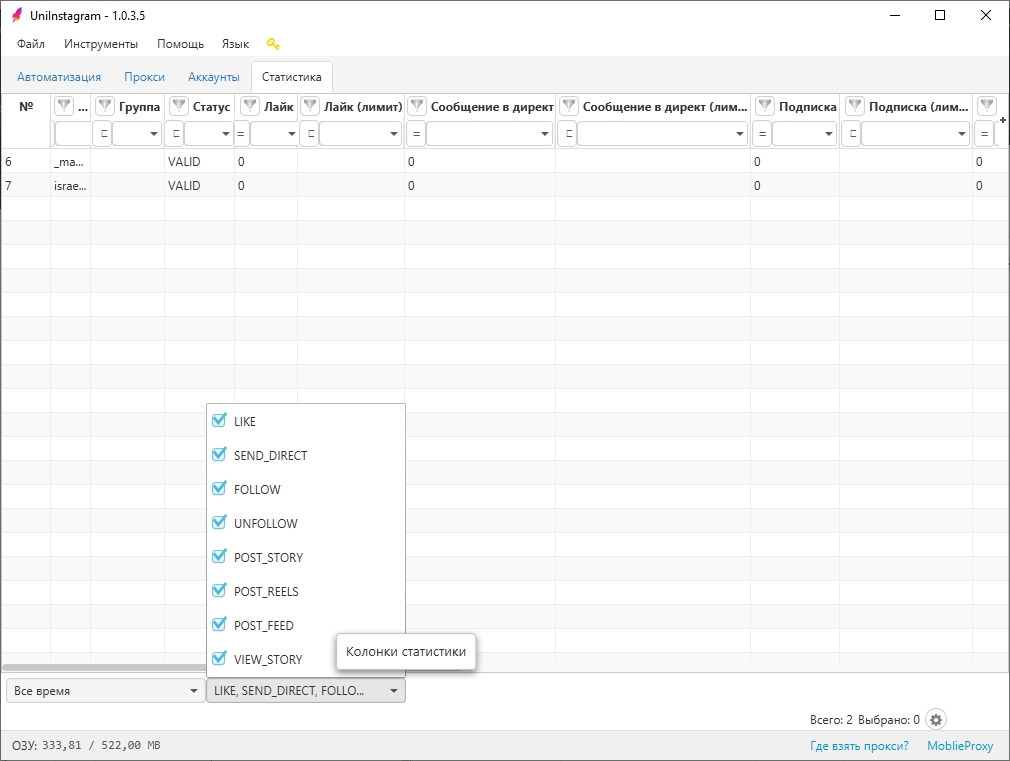
On the bottom panel of the "Statistics" tab you can change the period and the columns.
Statistics period — you can set the period the statistics are shown for: All time, Today, Yesterday and today, Last 3 days, Last 7 days, Current month.
Statistics columns — you can set which columns are shown in the statistics (see screen 2): LIKE, SEND_DIRECT, FOLLOW, UNFOLLOW, POST_STORY, POST_REELS, POST_FEED, VIEW_STORY.
Per-account data that can appear in statistics (list of columns): #, Login, Group, Status, Like, Like (limit), DM, DM (limit), Follow, Follow (limit), Unfollow, Unfollow (limit), Post Stories, Post Stories (limit), Post Reels, Post Reels (limit), Post to Feed, Post to Feed (limit), View Stories, View Stories (limit).
Follow (limit) — works automatically: if Instagram* shows a system message that "you are performing many actions / your actions look automated", a date (one day) is set up to which the account will not be used for this action.
The "Reset limit" action clears all the set limits.