
Working through a proxy
 Sergey Tehnoway
Options for connecting proxies and automatically rotating them for UniMessenger tasks.
Some materials may use a previous version of the interface. The program's core features and workflow remain up to date.
UniMessenger doesn't proxy devices (emulators/phones) on its own, but it can automatically set proxies and turn them on/off via helper programs.
In UniMessenger, proxy work is the same for broadcasts, the checker, and other tasks. For each task, proxies are configured individually.
Where the proxy settings are
Proxy settings for the tabs:
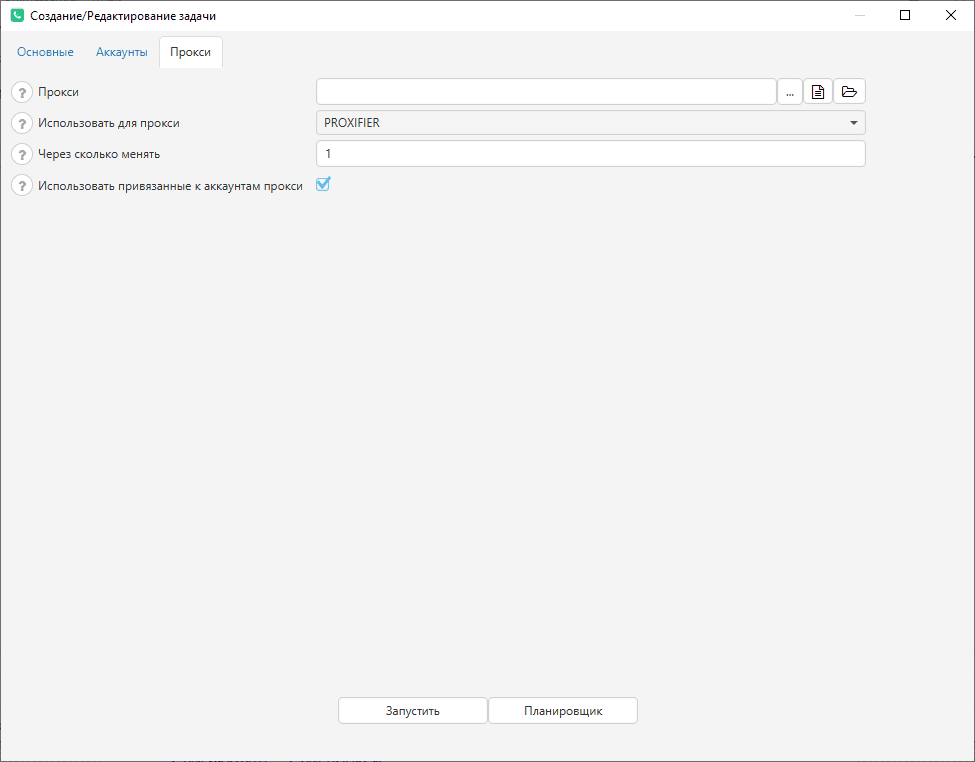
• Broadcast, Group broadcasts, Checker, Autoresponder, Account warm-up: on the bottom panel of the tab, click "Start" → Creating / editing a task → Proxy (see screen 1).
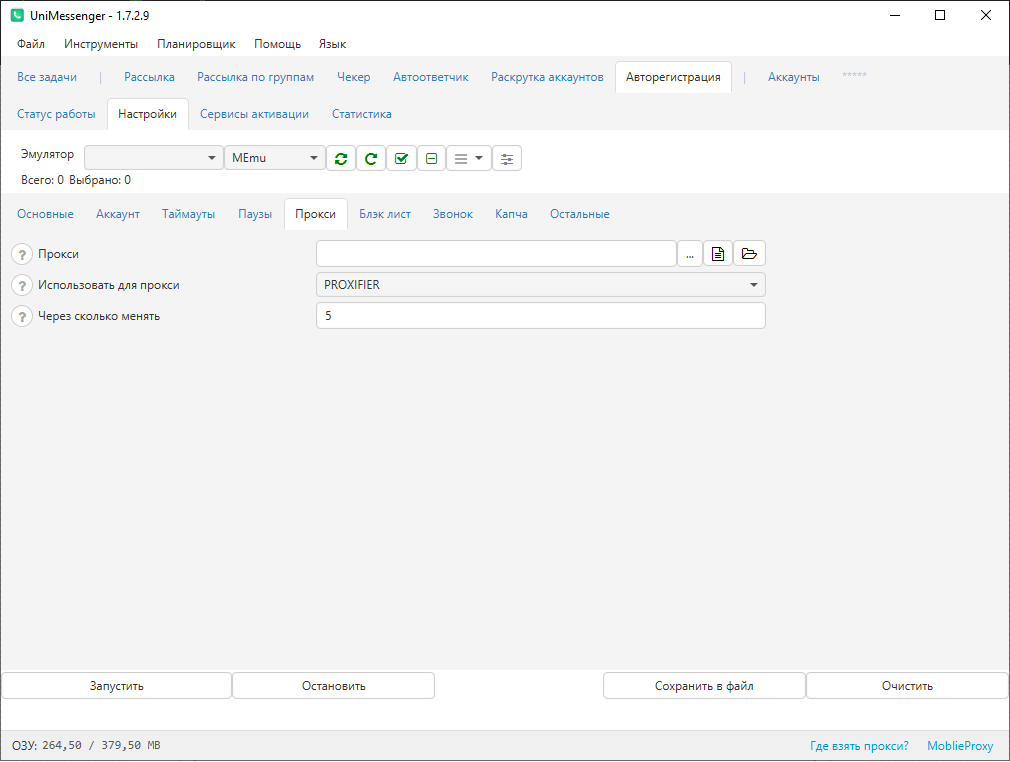
• Auto-registration: → Settings → Proxy (see screen 2).
Proxy settings
-
Proxy — the path to the proxy file. The file encoding must be UTF-8. Proxies in the file must be specified in the format:
Standard — ip:port:login:password:type
Proxies without login/password — ip:port:::typeFor example,
Standard:
185.189.132.97:5055:login:password:SOCKS5
185.189.134.12:5055:login:password:HTTPS
185.189.132.96:5055:login:password:HTTP
Without login/password:
185.189.132.97:5055:::SOCKS5
185.189.134.12:5055:::HTTPS -
Use for proxy — to make a device run through a proxy, the following approaches are used:
-
PROXIFIER — a PC program that lets you assign a proxy to a specific Windows process by its name. Works only with IPv4 proxies. Since Proxifier lets you specify a proxy only by process name, all running devices will be on the same proxy at the same time (the process names of all devices are identical). For use, you also need to specify the path to Proxifier.exe: File → Settings → Proxifier.
-
PROXIFIER_BY_PID — a more advanced mode that requires Proxifier 4.11 or higher. Works for Nox, MEmu, LDPlayer. In this mode a template is loaded with the process ID in the system and a separate rule (and proxy) for every device. So every device can have its own proxy. For use, you also need to specify the path to Proxifier.exe: File → Settings → Proxifier.
-
PROXY_DROID — an Android app, that is, installed in the device itself. Requires root access (must be enabled in the device settings). In every device the ProxyDroid app must be launched and root access must be granted permanently. Lets you set a separate proxy per device, but sometimes works unstably.
-
PROXY_DRONY — an Android app, that is, installed in the device. After setting a proxy in the app, it is turned on with a click — ProxyDrony opens automatically and "Enable" is pressed.
-
AIRPLANE_MODE — only relevant for the program with the phone module, if there is a SIM card. The program uses airplane mode to rotate the proxy: every time airplane mode is turned on and off, the phone reconnects to mobile internet, so the device gets a new IP address every time. So when the program rotates the proxy, it toggles airplane mode.
-
Change every — you can change the number of accounts that will run on one proxy.
-
Use proxies bound to the account — if disabled: only proxies from the file are used; if enabled: both the bound proxies and the ones from the file are used. Bound proxies can be seen on the Accounts tab; if needed, they can be unbound from the account by removing them from the corresponding column in the table.
How proxy work is done
The first proxy is taken from the file, bound to an account, and moved to the end of the file. And so on.
For example, we have 2 proxies, 4 accounts, and the setting "change proxy every 1 account":
account #1 — proxy #1
account #2 — proxy #2
account #3 — proxy #1
account #4 — proxy #2
If 2 proxies, 4 accounts, and "change proxy every 2 accounts":
account #1 — proxy #1
account #2 — proxy #1
account #3 — proxy #2
account #4 — proxy #2
Video instructions
Watch the video here.


