
How to update UniMessenger to the latest version
A step-by-step guide to checking for and installing UniMessenger updates.
How to update UniMessenger
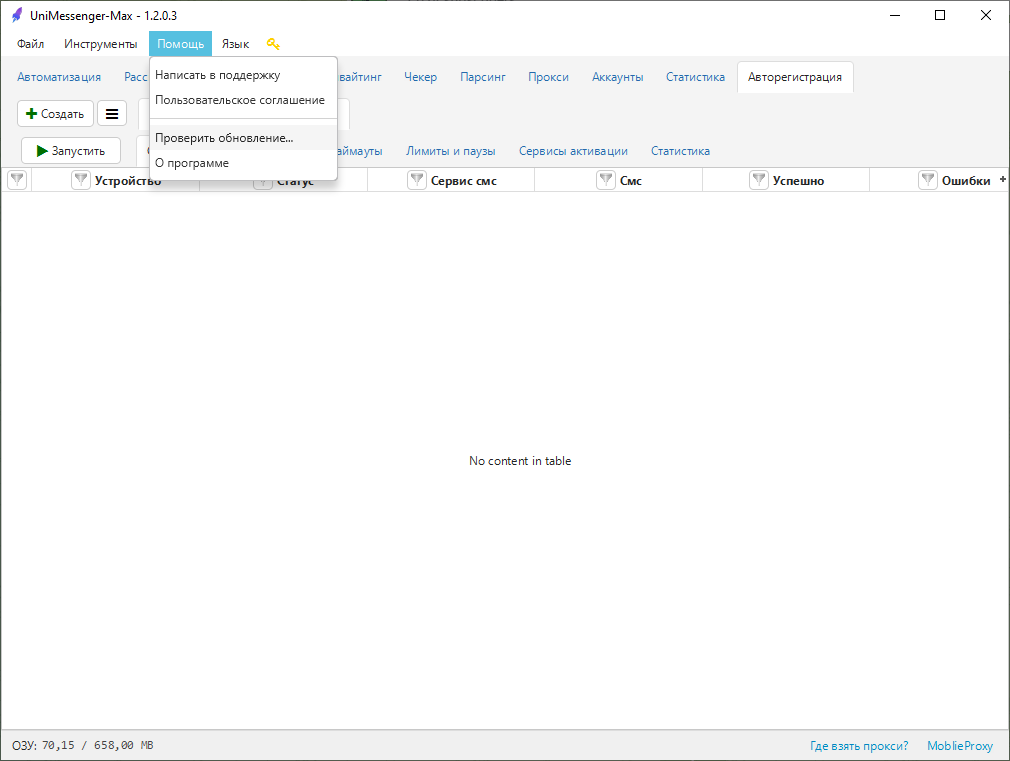
- Open the update section
In the program's top menu, go to Help → Check for updates (see Screenshot 1).
- Install the update
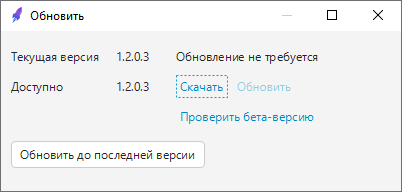
The window that opens displays:
- the current program version;
- the available version, if an update is available.
Available actions:
- Download / Update — install the stable version;
- Update to the latest version — perform a quick update;
- Check beta version — access test updates.
Beta version
The beta version may contain errors and unstable functionality. We recommend updating to it only when advised by support.
If no update is required
If you already have the latest version installed, the message “No update required” will appear.
Was this article helpful?