Group broadcasts
Instructions for creating and launching messaging campaigns to WhatsApp groups via invitation links.
Some materials may use a previous version of the interface. The program's core features and workflow remain up to date.
Almost all settings for a Group broadcast task are the same as for Private-message broadcasts. You can use the Scheduler to run tasks.
Instead of numbers, group links are specified — for example: https://chat.whatsapp.com/FRYsKcQ5AsvKZngX3SNVDV https://chat.whatsapp.com/LuD4KYKcqEi3fh8srcKB3u
https://chat.whatsapp.com/Dv5WIh3BUXvFdR5weTDgNC
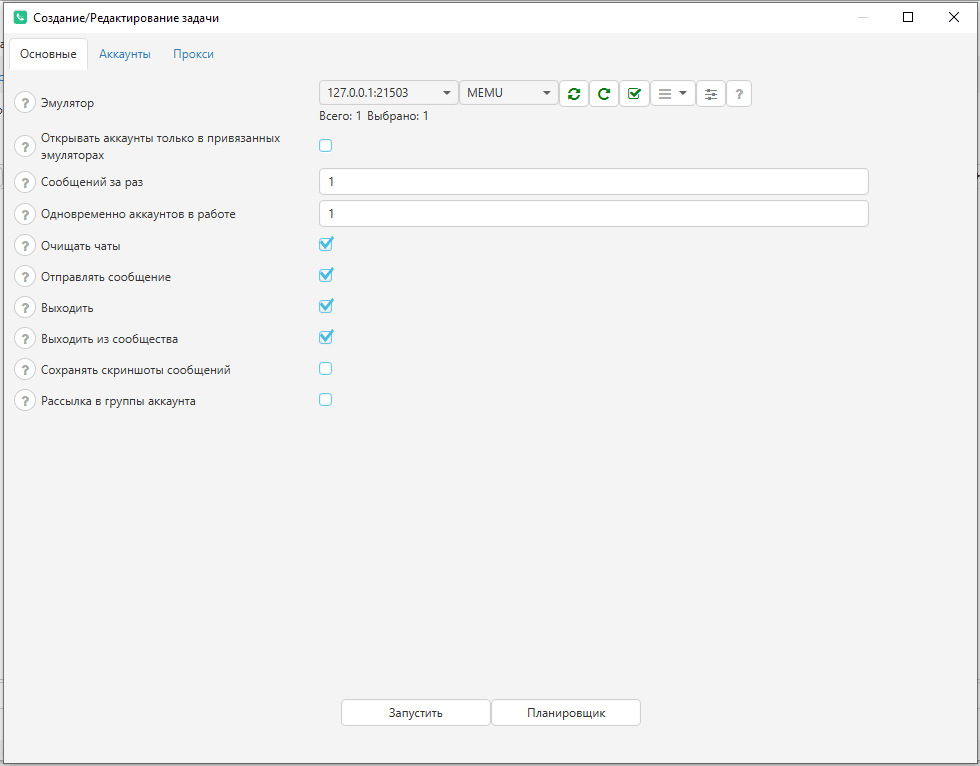
You can specify whether to send a message to the group after joining and whether to leave it after sending the message.
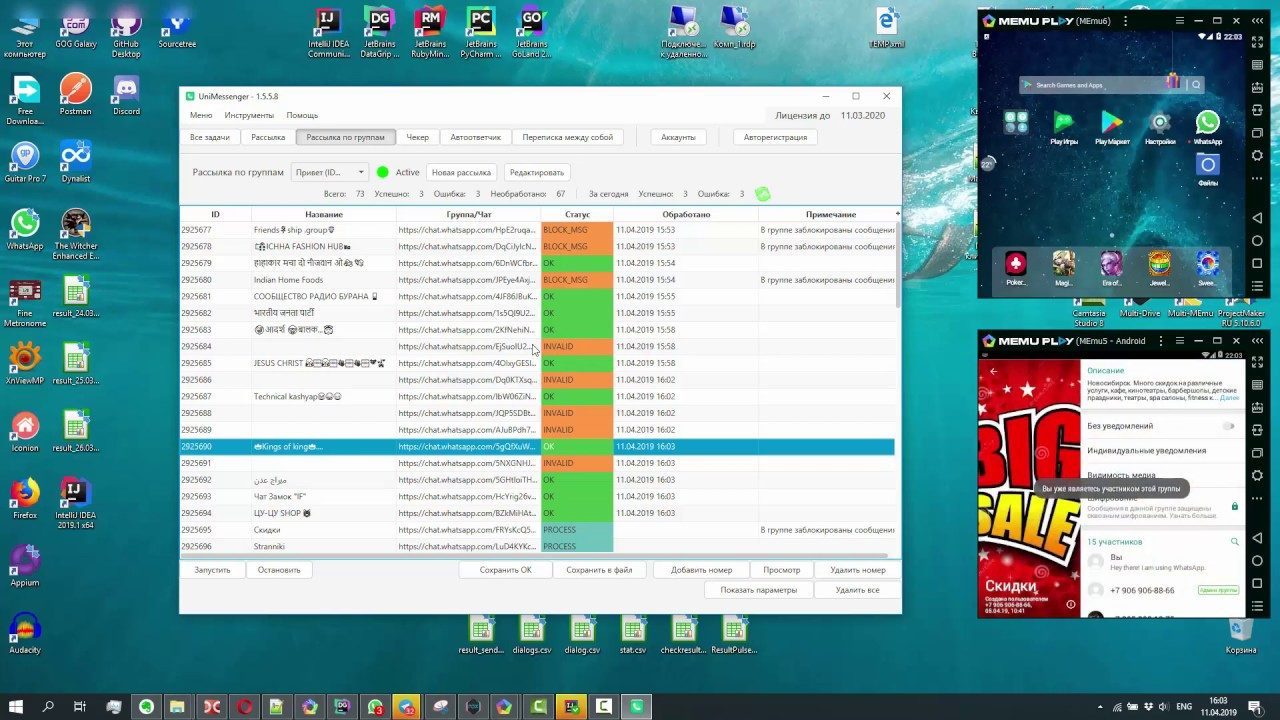
For groups processed during the broadcast, names will be set and the following statuses are possible: INVALID — the group link doesn't work BLOCK_MSG — sending messages is blocked in the group FULL — the group is full
Video instructions