
Creating / editing a broadcast
How to configure the text, media, recipient list, and other settings for a new messaging campaign.
Some materials may use a previous version of the interface. The program's core features and workflow remain up to date.
On the "Broadcast" tab the buttons "New broadcast" and "Edit" let you create a new broadcast and edit an existing one, respectively. For a new broadcast you need to specify a name.
You can set a text message, attach a vCard, a location, media (image, video, GIF, file, audio). You can use any combinations of the available options: Text + Image, Text + File, Text + vCard, and so on.
Spintax is supported for message uniqueization.
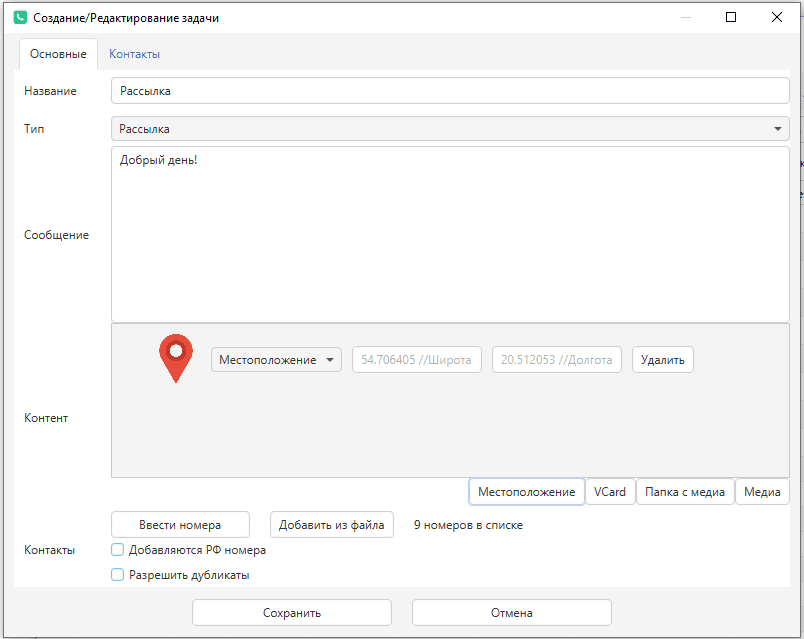
To send a location, specify latitude and longitude (two numbers like 20.512053). Latitude and longitude for any point can be found via Google or Yandex Maps.
Keep in mind that every media attachment is sent as a separate WhatsApp message.
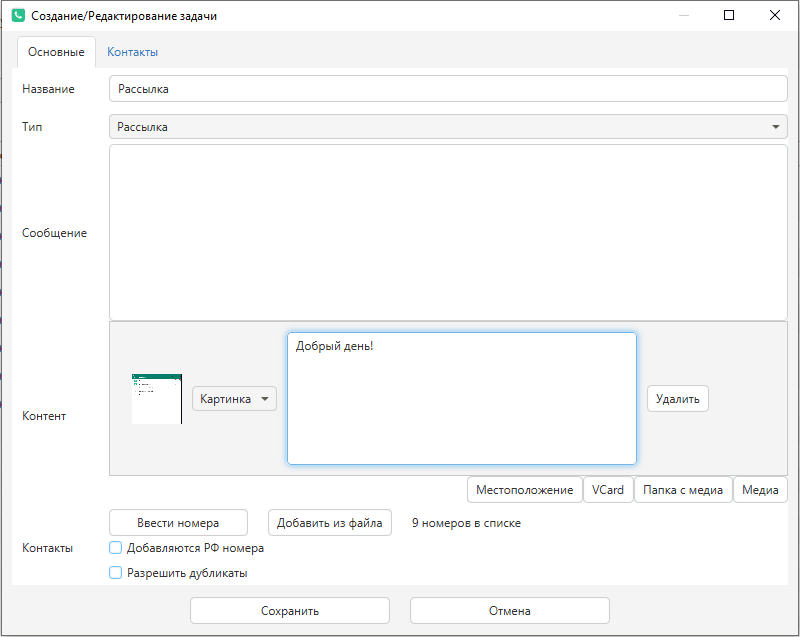
- If you want to send text with an image as one message, leave the message field empty and specify the image with a caption.
- For video, a preview image is required (what the person sees before downloading and playing the video) — set via right-click in the image area.
- Videos, images, GIFs, files, audio slow down sending, since time is spent loading the content.
- Format of video/GIF.mp4 — the smaller the video file size, the better and faster the message will be sent.
- You can attach a folder with images (Folder with media) — a random image from the folder will be picked for every message.
Adding numbers
- Enter numbers — specified one number per line.
- Add from file — all numbers from the file are added.
- ***** — RU numbers are added — when loading Russian numbers, enable this checkbox.
When adding numbers, use the format: +[code][number] (for example, +79040000000 for Russia, +380663000000 for Ukraine, and so on). You can specify numbers in different formats: +7 (904) 0000000, 7 (904) 000-00-00, and the like. The program will take only the digits from the number text.
You can load numbers with names or parameters.