You've set up an antidetect browser, split accounts across different profiles, and they still get banned. Or you launch a broadcast on WhatsApp and Instagram, but reach suddenly drops and the accounts hit limits. Often the cause isn't the content or the browser environment — it's the proxy.
In 2026, ad platforms and messengers analyze not just one parameter but a whole set of technical signals at once: IP address type, its origin, geolocation, how often addresses change, and how all of this matches the browser fingerprint. Wherever something mismatches — the account is flagged as suspicious.
Let's break down which mistakes in picking and configuring proxies lead to blocks, and what the right infrastructure looks like.
Why platforms still see you
An antidetect browser handles device masking. But it won't save you if the proxy gives you away first. The platform doesn't trust any single parameter — it looks for consistency across all of them.
A fingerprint set to "Windows, US, Chrome" with an IP from a data center in Eastern Europe is already a red flag. The antidetect browser did its job, but the proxy broke the picture.
What specifically triggers a block:
- Data-center IP. Server addresses belong to farms, not real users. Platforms have known this for a long time and have put most of those ranges on stop-lists.
- One IP for multiple accounts. If several accounts log in from the same address within a short time, they are immediately flagged as related. This is a pattern that antifraud systems detect instantly.
- Geolocation mismatch. The browser is set to "New York, EST, English (US)" — and the IP address resolves to a different region. That's not a real user.
- Address change mid-session. A sharp IP change during active work with an account is just as alarming a signal as sharing an address.
Three proxy types: how they differ in practice
Data-center proxies — the cheapest option, which in 2026 practically doesn't work for ad accounts or mass broadcasts. The IPs belong to servers, not living users, and platforms can see it.
Residential proxies — use real IPs of home devices registered with internet providers. Such traffic is much harder to filter automatically. Flexible rotation is supported: on request, by timer, or in sticky-session mode for long sessions. The limitation: under heavy use of a shared pool, if one address is used by several advertisers at the same time, it starts getting filtered.
4G/5G mobile proxies — the most resilient option for ad platforms and messengers. They run through real SIM cards in operator networks. The key trait: in mobile networks thousands of subscribers go online through one external IP — that's standard carrier-grade NAT. Platforms know this and can't block such addresses by default, otherwise hundreds of ordinary users would be filtered out. On top of that, operator IPs are regularly reassigned between subscribers, so their history is neutral.
What Prosox is and why it fits these tasks
Prosox is a residential and mobile proxy provider with a pool of more than 60 million IPs in 195+ locations. The network runs on a 100 Gbps channel, average response time is 0.3 seconds, uptime is 99.9%. HTTP/S and SOCKS5 protocols are supported, authorization is by login/password or IP whitelist, integration is via API.
Prosox tightly controls address quality: the system automatically rotates active IPs, removes unused ones, and excludes duplicates. This lowers the risk of getting a "dirty" IP with bad history — one of the main causes of unexpected blocks. Plans start at $1.5/GB, with cryptocurrency payment available.
How to use proxies for mass broadcasts and multi-accounting
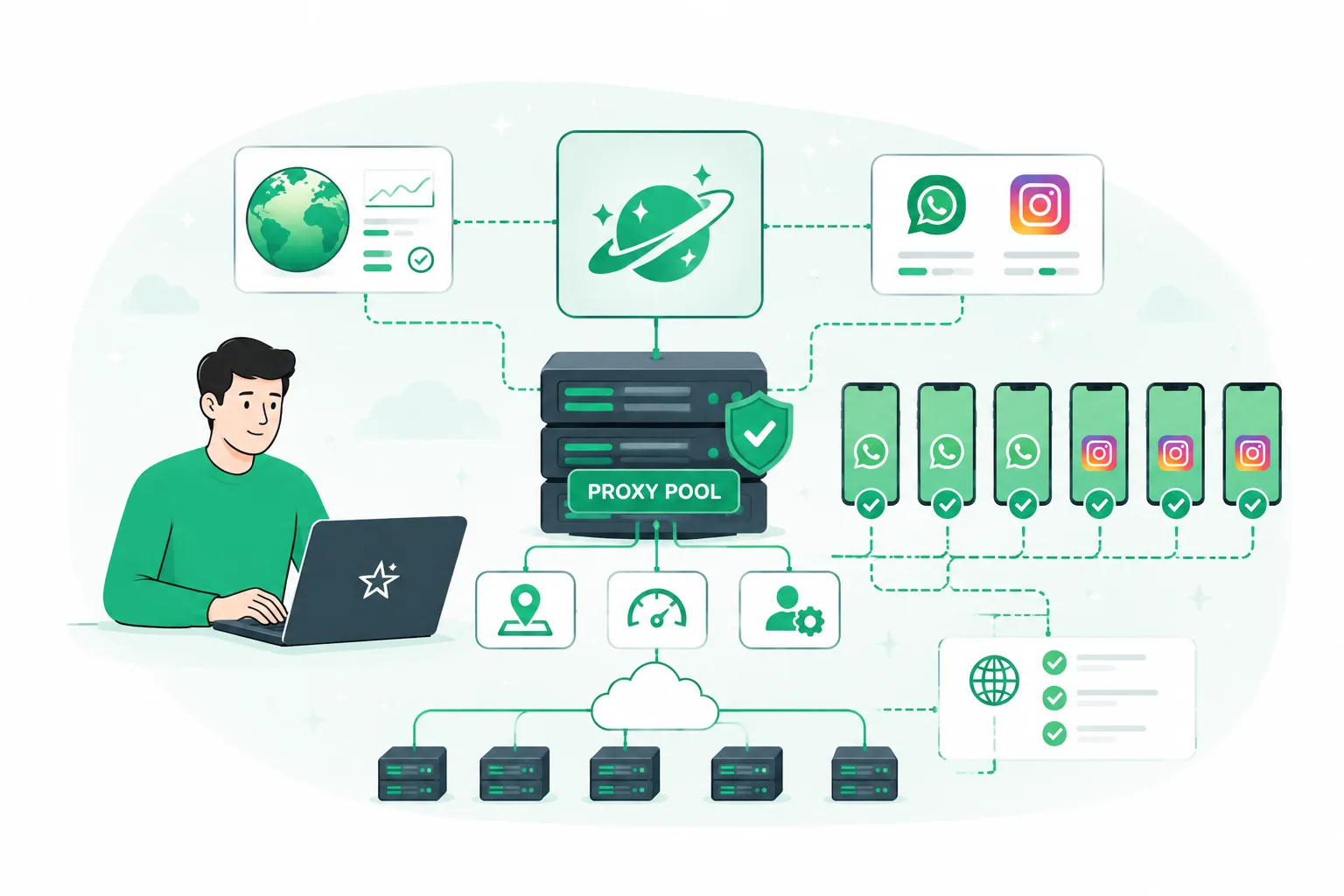
WhatsApp and Instagram broadcasts. When working with a pool of accounts, residential proxies in sticky-session mode hold one IP for the entire session. This mimics real user behavior and lowers the chance of triggering antifraud.
Multi-accounting in ad managers. Prosox mobile proxies give every account a unique operator IP with the right geolocation — the platform perceives each connection as a separate living user. Targeting by country, city, and mobile carrier is available.
Checking how content appears by geo. Prosox lets you pick a precise location down to the city — useful when you need to confirm how broadcasts or ads look in a specific region without physically being there.
Pre-launch checklist: the minimum you must cover
Before launching a broadcast or an ad campaign, run through this list:
- Proxy type matches the task. For ad accounts and messengers — residential or 4G/5G mobile, not data-center.
- One account — one IP. No address sharing between accounts. Any deviation leaves a trace.
- The IP geolocation matches browser and account settings. Time zone, language, locale — everything must match the IP address.
- Sticky session enabled for the entire account work. Switching IPs mid-session is a red flag for the platform.
- The IP is not on any blacklist. Check via third-party tools — for example, ToDetect.
- No WebRTC leak. Your real IP must not be visible through the browser.
- The IP pool is regularly cleaned by the provider. It's important that the provider actively removes banned and worn-out addresses.
How to pick a provider: what to look for
When choosing a proxy for multi-account work and broadcasts, pay attention to a few key parameters:
- IP pool size — the bigger it is, the less sharing and the cleaner the addresses.
- Targeting precision — it matters to have targeting not only by country but also by region and city.
- Sticky session and rotating support — different tasks need different rotation modes.
- Protocol compatibility — HTTP/S and SOCKS5 for work with antidetect browsers and automation tools.
- Network stability — uptime and latency matter when running active campaigns.
- Pool quality — the provider must actively clean addresses, removing banned and used ones.
Prosox covers all of these points: 60M+ IPs in 195+ locations, targeting down to city and carrier, HTTP/S and SOCKS5 support, sticky and rotating sessions, a 100 Gbps channel, and 99.9% uptime. Free testing is available before purchase — just describe your scenario and request access. Technical support runs 24/7.
Summary
In 2026 a proxy isn't an extra tool — it's a core part of the infrastructure for any multi-account or mass broadcast work. An antidetect browser handles device masking but can't make up for a bad proxy. Platforms see the IP-fingerprint mismatch, address sharing, and server traffic — and they react fast.
One rule holds: isolated browser environment plus a clean IP whose geolocation matches the target region of the account. Run through the checklist before every launch — it takes a few minutes but saves your accounts and your budget.
Sign up at Prosox right now and get 250 MB to test.
Use promo code uniprosox for a 20% discount on your first purchase.